

A pool automation system is a central controller mounted at your equipment pad. It runs your pool pump, heater, lights, salt chlorine generator, valves, spa, and water features from one panel or a smartphone app. You set schedules once, the system follows them, and you can change them from your phone.
That's the short answer to "what is pool automation." The rest of this pool automation guide covers what each part does, how wired and wireless setups really differ, and when automation is worth the money. We write as installers. Discount Pool Mart is an LA-area authorized dealer that installs Pentair IntelliCenter, Hayward OmniLogic, and Jandy iAqualink, so everything here comes from equipment pads we've wired ourselves.
What Is Pool Automation, and What Does It Replace?
A pool automation system is a control center that switches and coordinates your pool equipment from one place. Instead of separate timers and switches, you get one schedule, one panel, and one app. The controller tells the pump, heater, lights, salt cell, and valves what to do and when to do it, so you don't have to keep track of it all yourself.
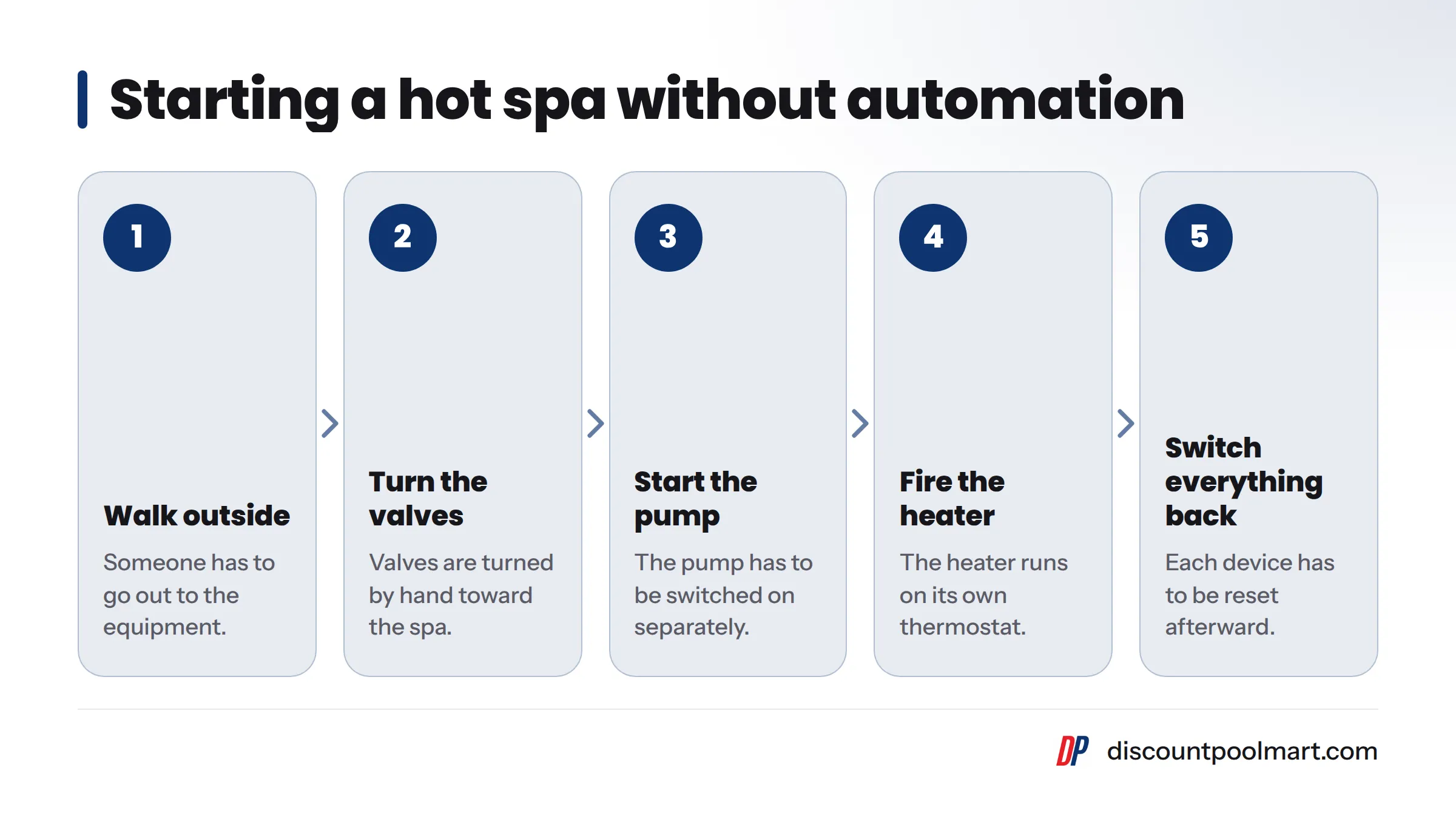
Timers Work Alone. Automation Coordinates.
Most older pools run the pump on a mechanical timeclock and the lights on a wall switch. The heater has its own thermostat. None of these devices talk to each other. Want a hot spa at 7 p.m.? Someone has to walk outside, turn the valves by hand, start the pump, fire the heater, and remember to switch everything back afterward.
An automated pool system links those steps together. One command runs the whole sequence in the right order.
Terms to Know
- Control center / load center: The weatherproof box at the equipment pad that holds the controller, breakers, and relays.
- Relay: An electrically operated switch that turns a piece of equipment on or off. Wikipedia's explanation of how a relay works goes into more detail.
- Valve actuator: A small motor bolted onto a valve that rotates it on command.
- Auxiliary (aux) circuit: A relay-controlled circuit you can assign to lights, a booster pump, or a waterfall.
- Spa mode: A preset that sets the valves, pump, and heater to heat and circulate the spa.
- Freeze protection: A setting that runs the pump when the air temperature drops near freezing.
- App control: Running the system from a smartphone over Wi-Fi.
What Can Pool Automation Control?
A typical pool control system handles most of the equipment on your pad:
- Variable speed pump: speeds and run times, with separate speeds for filtering, cleaning, and spa jets.
- Pool heater or heat pump: setpoints and on/off timing for both pool and spa.
- LED pool lighting: on/off, timers, and color shows.
- Salt chlorine generator: output level, timed to run with the pump.
- Valve actuators: switching suction and return between pool, spa, and features.
- Spa and water features: spillovers, waterfalls, sheer descents, and bubblers.
- Cleaners and auxiliary loads: booster pumps, yard lighting, even a fire feature on a spare circuit.
- Freeze protection: automatic pump runs during cold snaps.
What your system can actually run comes down to three things: the model, the number of relays, and whether your equipment can communicate with the controller. Still shopping for a pump? Our breakdown of single, dual, and variable speed pumps explains which ones work best with automation. For heating, see our pool heater guide for LA or the pool heat pump guide. If you're thinking about a salt cell, start with saltwater vs. chlorine pools.
How Does Pool Automation Work? From the Pad to Your Phone
Let's break it down, starting at the equipment pad and working outward.
The Load Center Holds the Controller
The load center is a gray or tan box mounted near your pump and filter. Power comes in from your home's main panel. Inside are breakers, the controller board, and a bank of relays. All the swimming pool control panel equipment at the pad gets both its power and its instructions from this box.
Relays Switch One Circuit Each
Each relay controls one high-voltage circuit. When the controller calls for "lights on," the relay closes and power flows to the light transformer. Simpler equipment, like a single-speed pump or a waterfall pump, runs this way. More relays let you control more equipment, which is why expansion modules exist.
Valve Actuators Send Water Where You Want It
On a pool/spa combo, three-way valves decide where the water goes, and an actuator sits on top of each one. In spa mode, the actuators rotate so the pump draws from and returns to the spa only. Switch back to pool mode and they rotate again. The same setup can divert water to a spillover or waterfall.
Smart Equipment and the Pool Automation App
Newer pumps, heaters, and salt cells do more than switch on and off. They connect to the controller through a low-voltage communication cable, which lets the controller set pump speed or heater temperature and read status back. The controller also connects to your home Wi-Fi router, which links it to the manufacturer's pool automation app on your phone.
How it works in 5 steps:
- You tap a command in the app or press a button on the panel.
- The command reaches the control center over Wi-Fi or a hardwired cable.
- The controller closes a relay or sends a message over the communication link.
- The equipment or actuator responds: the pump ramps up, the valve turns, the heater fires.
- The system reports status back to your screen.
Want pump-specific programming? Our upcoming Pentair IntelliFlow setup guide will walk through speeds and schedules step by step.
Wired vs. Wireless Pool Automation: It's About How You Send Commands
This is where most owners get confused. Here is why: in both setups, the equipment at the pad is wired to the load center. "Wireless" describes how you talk to the system, not how the pump talks to it.
| Factor | Wired control | Wireless / Wi-Fi control |
|---|---|---|
| How commands travel | Low-voltage cable from panel to load center | Radio signal from a remote, or Wi-Fi through your router |
| Typical controls | Indoor wall panel or outdoor panel at the pad | Handheld wireless remote, smartphone app |
| Reliability factors | Cable condition; very stable once run | Signal strength at the pad, router health |
| Install work | Running cable through walls or trenches | Placing a transceiver or extender within signal reach |
| Remote access away from home | No, unless paired with Wi-Fi | Yes, through the app |
| Best fit | Owners who want a fixed panel inside the house | Owners who want phone control or face a hard cable run |
In our experience, you rarely have to pick one. Most WiFi pool control systems add app access on top of a panel at the pad, and plenty of homes use both.
Check Wi-Fi reach at your equipment pad. Pads often sit in a side yard behind a stucco wall, far from the router. On our service calls, a weak signal at the pad is one of the most common reasons an app shows "offline." A mesh node or outdoor access point usually solves it. Our pool app control setup guide covers connection steps for each brand.
Pentair, Hayward, and Jandy: The Three Platforms We Install
All three do the same job. They differ in their apps, their equipment families, and how they expand.
Pentair Pool Automation: IntelliCenter
Pentair offers IntelliCenter as its current flagship controller. It works most naturally with Pentair pumps, heaters, salt cells, and lights, and it expands through added relay modules. Many LA pools still run Pentair's older EasyTouch line, such as the EasyTouch 8 pool and spa control system, often paired with the ScreenLogic2 add-on for app access.
Hayward Pool Automation: OmniLogic
Hayward OmniLogic runs the pool, spa, lights, and water features through the OmniLogic app and a local panel. It fits best on pads that already have Hayward pumps, heaters, and salt cells.
Jandy iAqualink
Jandy, part of Fluidra, runs its AquaLink controllers through the iAqualink app. Jandy iAqualink also supports voice control through Amazon Alexa and Siri Shortcuts. Thanks to its retrofit kits, it's a common pick for replacing an old timeclock.
| Platform | App | Best ecosystem fit | Retrofit notes from our installs |
|---|---|---|---|
| Pentair IntelliCenter | Pentair app | Pentair pumps, heaters, lights | Clean upgrade path from EasyTouch pads |
| Hayward OmniLogic | OmniLogic | Hayward equipment | Smoothest on all-Hayward pads |
| Jandy iAqualink | iAqualink | Jandy equipment | Retrofit kits suit older timer setups |
My honest take: the brand already on your pad usually matters more than any feature list. If you're still deciding, browse our swimming pool control and automation systems or read the Pentair vs. Hayward vs. Jandy comparison.
What Automation Gets You: Convenience, Lower Pump Energy, and Equipment Protection
Control From the Patio or From Vacation
One tap turns on spa mode. Another starts a light show from the patio. While you're away, you can check that the pump ran and the water temperature looks right. That peace of mind is the benefit owners bring up with us most often.
Smarter Schedules Cut Pump Electricity
The U.S. Department of Energy's guidance on swimming pool pumps notes that pumps use a lot of electricity and that running them less, or at a lower speed, reduces that use. Automation makes this easy. A variable speed pump can run slowly through long filtering cycles, and you can move heavy loads outside your utility's peak hours. I think this is where automation earns its keep for most households. Our SoCal pool maintenance calendar can help you adjust run times by season.
The Controller Protects Your Equipment
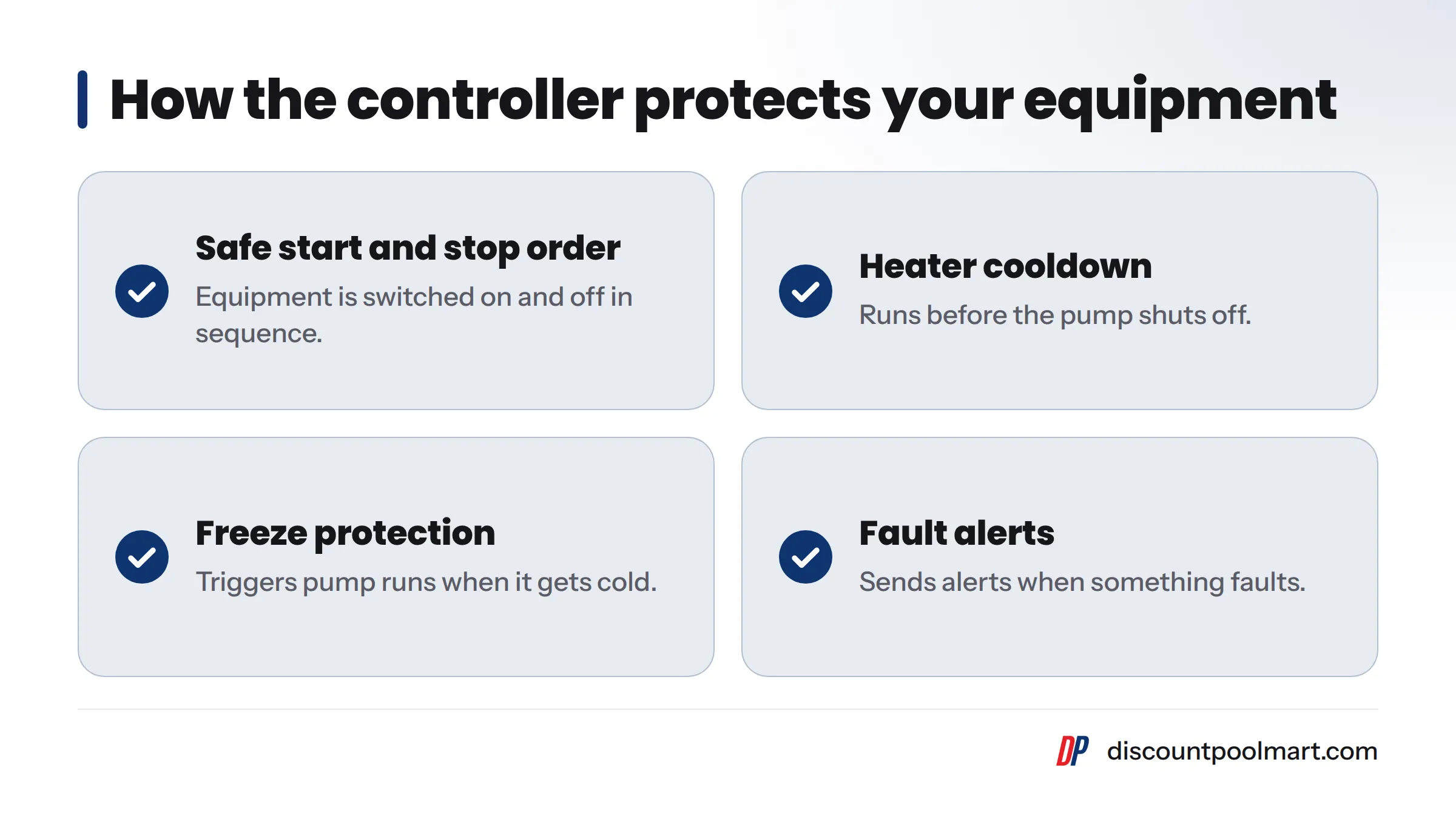
The controller starts and stops equipment in a safe order. It runs a heater cooldown before shutting off the pump, triggers freeze protection, and sends alerts when something faults. Fewer surprises usually means fewer emergency repairs.
What We've Seen Installing Automation in LA-Area Homes
I'll be honest: timer retrofits are the most satisfying jobs we do. Plenty of Valley and South Bay pools built decades ago still click along on mechanical timeclocks, and those owners notice the change most.
Here's what our crews keep running into:
- Pool/spa combos gain the most. Actuators and one-tap spa mode end the nightly valve-turning routine.
- Wi-Fi reach often needs fixing. Side-yard pads behind block walls often need a mesh node.
- Mixed-brand pads need homework. A Pentair pump on a Jandy controller may get only on/off control, not speed control. We check compatibility before every install.
- Spare relays pay off. Owners who add lighting or a fountain later are glad they left room.
- Summer wins people over. Owners who barely touched the app start scheduling everything once the hot months arrive.
Installer tip: Label every breaker and relay with what it controls. That saves you and your service tech real time later. You'll find replacement relays and boards in our automation and control system parts.
All pool electrical work must follow the bonding, grounding, and GFCI rules in the National Electrical Code, which the NFPA publishes. Hire a licensed pro for this work.
Is Pool Automation Right for Your Pool? Six Questions to Answer
Be honest with yourself:
- Do you manage more than two or three pieces of equipment?
- Do you have a spa or water features?
- Do you own a variable speed pump or salt cell?
- Do you want to control the pool when you're away?
- Does Wi-Fi reach your equipment pad, or could it?
- Do you plan to add lights, heat, or features later?
If you answered yes to most of these, automation deserves a serious look. If you answered mostly no, a simple timer may serve you fine. For budget questions, see what pool automation costs.
Next steps: stop by a Discount Pool Mart store or book an assessment through our pool automation installation page.
Pool Automation FAQs
How does pool automation work? A controller at the equipment pad receives commands from a panel or app. It switches relays or sends messages to smart equipment, then reports status back.
Can I add automation to an older pool? Yes. Retrofitting pads that run on mechanical timers is one of our most common jobs. The installer swaps the timer box for a load center and adds actuators if needed.
Do I need Wi-Fi for pool automation? Only for app control. A hardwired panel works without it.
Can pool automation control my spa and waterfall? Yes. Valve actuators send water to the spa or feature, and a relay can run a dedicated feature pump.
Will automation work with equipment from different brands? Often, but sometimes with limits. Equipment from a different brand may get only on/off control instead of full speed or temperature control.
What is a valve actuator? A motor mounted on a valve that rotates it on command, switching flow between the pool, spa, and features.
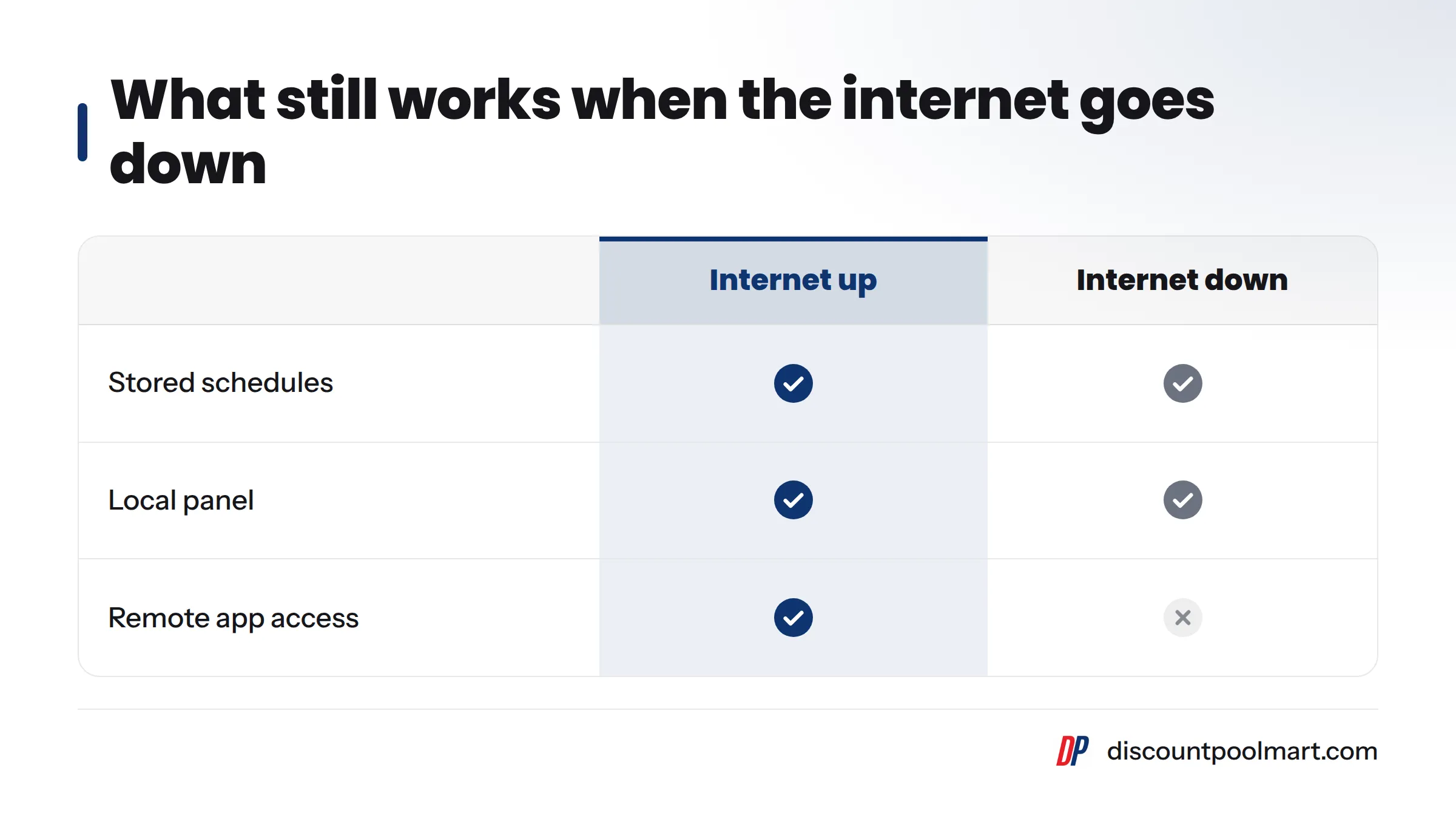
Can I still control my pool if the internet goes down? Yes. Your stored schedules keep running and the local panel still works. You lose only remote app access.
Does pool automation help with energy use? It can. Scheduling lower pump speeds and off-peak run times cuts wasted run time, though results depend on your equipment and habits.
Sources
- National Fire Protection Association (NFPA), publisher of the National Electrical Code
- Pentair, pool and spa equipment manufacturer
- Hayward, pool equipment manufacturer
- Jandy, pool equipment manufacturer
- Relay, Wikipedia
Related: variable speed pump guide