
Find your parts diagram
Sticker on the pump body (the part with the basket), not on the motor. Motor labels from Century, A.O. Smith or Regal won't match parts.
Label on the side of the tank near the base. Size is in sq ft, e.g. 420 sq ft = C4030 or CCP420.
Rating plate inside the front access panel. Note the BTU and gas type (NG or LP).
Molded into the body or printed on top. Robotic cleaners: on the power supply.
Still not sure? Call (855) 767-7665 and we'll find it for you.


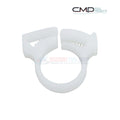
CMP Sweep Hose Attach Clamp For Vac-Sweep Cleaners | 25563-110-000
Fits these models (2)
Pickup, delivery and shipping times are estimates, not guarantees.
Couldn't load pickup availability
● 380 in stock30-day returns Secure checkout
Have a question about this part?
Ask about fit, specs or shipping and get an instant answer.
Goes with this part
CA P65 Warning: Cancer and reproductive harm. www.p65warnings.ca.gov
On the Polaris Vac-Sweep 280 Cleaner diagram
 This part
Open the full interactive diagram →
Other parts on the same Polaris Vac-Sweep 280 Cleaner
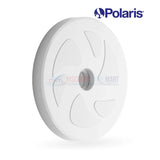
The CMP Sweep Hose Attach Clamp 25563-110-000 is designed for use with Polaris Vac-Sweep pool cleaners, including models 180, 280, 360, and 380. This clamp secures the sweep hose to the cleaner, ensuring it remains firmly attached while in operation. Made from durable materials, this genuine CMP replacement part ensures the longevity and optimal performance of your Polaris pool cleaner. Regular maintenance and replacement of worn-out clamps help maintain the efficiency and effectiveness of the cleaner
- Designed for Polaris Cleaners: Specifically made for use with Polaris Vac-Sweep pool cleaners, including models 180, 280, 360, and 380, ensuring perfect compatibility.
- Secure Attachment: Ensures the sweep hose remains firmly attached to the cleaner during operation, preventing disconnection and ensuring efficient cleaning.
- Durable Construction: Made from high-quality materials, providing long-lasting durability and reliable performance.
- Maintains Optimal Performance: Regular maintenance and replacement of worn-out clamps help maintain the efficiency and effectiveness of your pool cleaner.
- Genuine CMP Replacement Part: Ensures the longevity and optimal functionality of your Polaris pool cleaner, contributing to consistent and thorough pool cleaning.
- (1) CMP 25563-110-000 Attach Clamp
- Polaris Vac-Sweep Cleaner Models: 180, 280, 360, and 380
Note: This clamp may be compatible with your cleaner, please refer to your systems owners manual to ensure compatibility.
